Corporate Business Flyer Design: A Template for Professional Impact
Every business, from a bustling startup to an established corporation, needs a clear and compelling way to communicate its value. A well-designed flyer remains one of the most direct tools for grabbing attention, whether it's pinned to a community board, handed out at a trade show, or included in a digital marketing email. The challenge for many entrepreneurs and small teams isn't the idea—it's the execution. Creating a professional, print-ready document from scratch demands time, technical skill, and design software that can be costly. This is where a thoughtfully crafted template becomes invaluable, bridging the gap between a great concept and a polished final product.
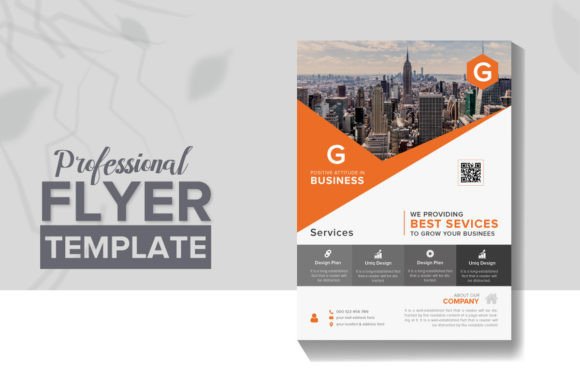
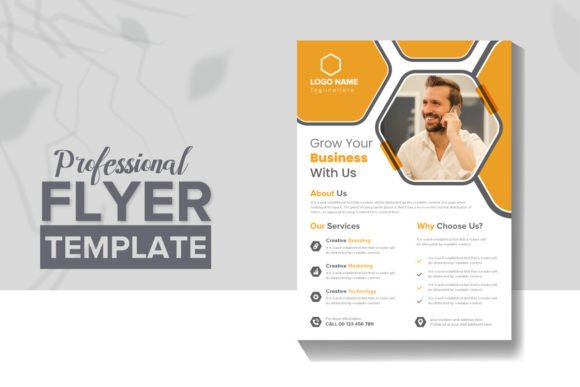
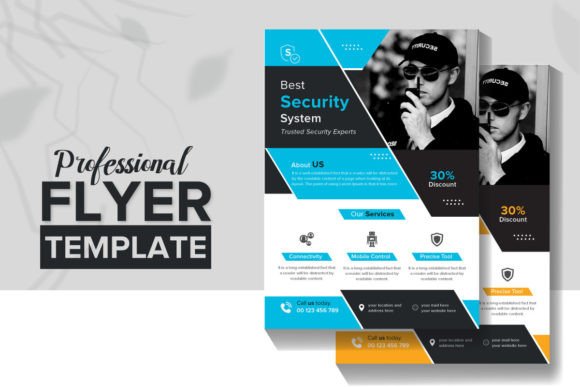
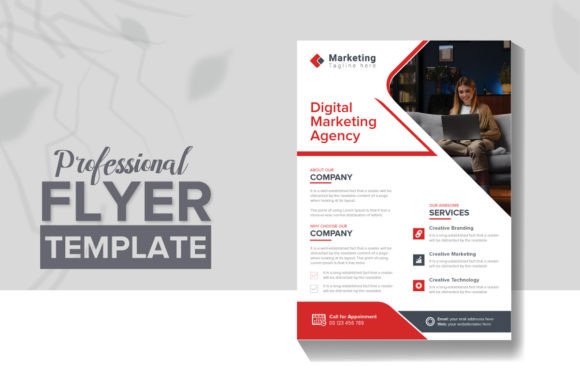
This particular Corporate Business Company Flyer Design template is built to be that bridge. It’s not just a static image; it’s a fully editable and customizable EPS file, giving you complete creative control. The design strikes a balance between modern professionalism and creative flair, making it versatile enough for a company profile, a marketing promotion, or a service announcement. The foundation is solid: it comes in the standard A4 size with bleed, uses vector-based shapes for crisp scaling, and is organized in layers for easy navigation. With a 300 DPI resolution, it’s print-ready from the moment you download, ensuring your final output looks sharp and professional.
More Than a One-Use File: Adapting to Your Brand's Voice
The true strength of a template like this lies in its adaptability. Think of it as a robust starting framework rather than a finished piece. Because all elements—the text, the images, and the colors—are editable, you can mold it to fit your specific brand identity. Swap the placeholder text with your company’s mission statement. Adjust the color palette to match your logo and brand guidelines. Replace the preview images with high-quality photos of your team, your product, or your workspace. This level of customization transforms a generic design into a unique asset that speaks directly to your audience, reinforcing visual consistency across all your materials.
Consider the practical applications. For a small business owner, this could become the basis for a series of flyers promoting different services, each with a consistent layout but tailored content. A content creator might use it to design a sleek media kit or a promotional sheet for a new digital product. The vector-based shapes mean it scales beautifully, so the same design could be adapted for a social media graphic or a large-format poster without losing quality. It’s a tool for creating cohesive marketing assets, from the packaging design of a product insert to the editorial design of a one-page company overview.
The Technical Details That Make a Difference
While the creative potential is exciting, the technical specifications are what make this template a reliable workhorse. The inclusion of a JPEG file offers a quick preview option, but the EPS file is where the magic happens for serious projects. EPS (Encapsulated PostScript) is a vector format favored by professional designers and printers because it maintains quality at any size. The fact that all shapes are vector-based means you can resize elements without pixelation, a critical feature for anything destined for print.
The file is also described as "well organized with layers." For anyone who has wrestled with a complex design file, this is a significant benefit. It means elements are logically grouped, making it straightforward to select and edit specific parts of the design without accidentally moving something else. Combined with the promise of "pixel perfect shapes," this attention to detail in the source file saves time and frustration during the customization process. Furthermore, the note about free fonts is a practical touch, though it’s always wise to verify the licensing of any included fonts for your intended commercial use.
Practical Advice for Using This Template Effectively
To get the most out of a design asset like this, a little planning goes a long way. Before you even open the file, have your content ready. Write the headline, the key bullet points, and the call to action. Gather the images you want to use, ensuring they are high-resolution. This prevents the common pitfall of trying to force content into a design, which often leads to awkward layouts.
When you begin editing, think about your project’s goals. Is the flyer meant to inform, persuade, or direct? The typography and layout should support that goal. For instance, if you're creating a marketing asset for a limited-time offer, you might increase the size of the call-to-action button and use a bold, contrasting color. If it’s for a company profile, you might prioritize clean sections and ample white space to convey stability and trust.
Don’t be afraid to experiment with font pairing. While the template comes with suggested fonts, you can often enhance readability and visual interest by pairing a strong, clean sans serif font for headlines with a more traditional serif font for body text. The key is to maintain a hierarchy that guides the reader’s eye naturally from the most important information to the supporting details. Test your design by printing a proof or viewing it at 100% on screen to check for readability and overall balance.
Building a Cohesive Visual Identity, One Asset at a Time
Ultimately, a tool like this Corporate Business Flyer Design template is about efficiency and professionalism. It allows you to produce high-quality design assets without starting from zero, which is crucial for maintaining a consistent brand presence across multiple platforms. Whether you're designing for print or digital, the core principles of good visual communication—clarity, consistency, and appeal—remain the same. This template provides a structured yet flexible canvas to apply those principles.
For the entrepreneur or marketer, it represents an opportunity to present your business with the polish of a larger operation. For the designer, it can serve as a foundational element to build upon for client work, saving valuable time on layout. The included JPEG is handy for quick client approvals or internal reviews, while the editable EPS file ensures you can make any necessary changes down the line. By leveraging such a resource, you can focus more energy on your core message and business strategy, confident that your visual presentation is strong, professional, and effectively supporting your goals.