Wall Hanging Calendar Mockup: A Designer's Guide to Realistic Previews
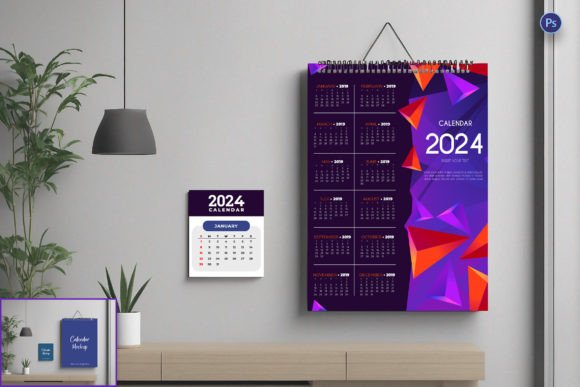
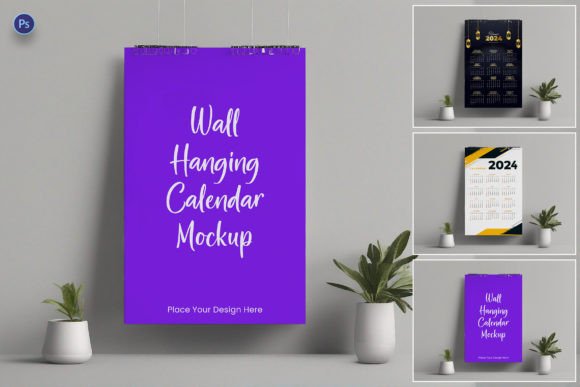
Imagine pouring weeks of creative energy into designing a beautiful wall calendar for your client or your own business. You've selected the perfect images, crafted the typography, and balanced the layout. But before you commit to the expensive printing process, how do you truly see how it will look hanging on an office wall or in a cozy kitchen? This is where a Wall Hanging Calendar Mockup becomes an indispensable asset in your design toolkit. It transforms your flat digital file into a three-dimensional, photorealistic preview, offering a tangible glimpse into the final product.
A Wall Hanging Calendar Mockup is essentially a pre-made, layered digital template, most commonly found in PSD (Photoshop Document) format. Think of it as a digital photograph of a blank calendar hanging on a wall, waiting for your design to be inserted. The magic lies in the layered design. Smart Objects within the file allow you to simply drag and drop your calendar artwork onto a designated layer. With a click, the template automatically applies realistic textures, shadows, creases, and lighting effects to your design, making it look as if it were physically printed and photographed in a studio. This process saves countless hours you might otherwise spend trying to manually create shadows and perspective distortions.
From Flat Design to Tangible Vision
The core appeal of a high-quality mockup is its ability to bridge the gap between a digital concept and a physical reality. For a graphic designer or small business owner, this is about more than just making something look pretty—it's about effective communication and decision-making. A realistic presentation allows you to evaluate your design in context. Does the font size remain readable from a distance? Do the color tones clash with typical wall colors? Does the overall aesthetic convey the right mood, whether it's professional, playful, or serene?
These templates are a cornerstone of modern visual communication. They are used extensively in branding presentations to show clients how their brand identity extends into physical merchandise. A marketing team can use a mockup to create compelling social media graphics or website banners that showcase their upcoming product launch. The high-resolution output ensures that whether you're presenting on a screen or in a printed portfolio, the quality remains crisp and professional, building trust and credibility with your audience.
Practical Applications Across Creative Projects
The utility of a Wall Hanging Calendar Mockup extends far beyond the calendar itself. It serves as a versatile design asset for a wide range of projects. Consider these practical uses:
- Client Presentations: Show stakeholders exactly how the final calendar will look in a home or office setting, making your proposal more persuasive and tangible.
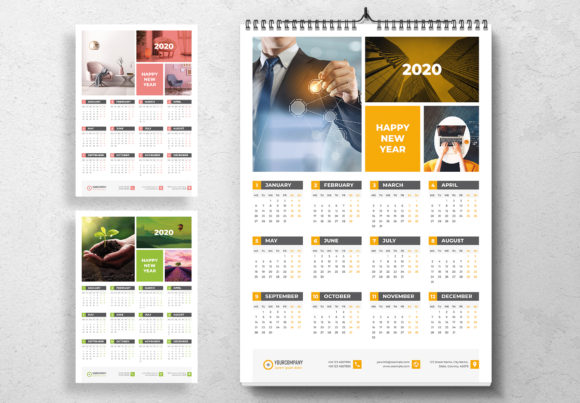
- E-commerce Product Listings: For online stores selling calendars, using a mockup creates far more engaging product images than a simple flat scan, potentially increasing conversions.
- Portfolio Enhancement: Display your work in a realistic context within your online portfolio or on platforms like Behance, demonstrating your understanding of end-use application.
- Marketing & Advertising: Create eye-catching ads for print or digital media that feature the calendar as a lifestyle product, not just a date-keeping tool.
- Internal Planning: For businesses creating internal calendars, use a mockup to get team approval on the design before production.
This approach is not limited to calendars. The same principle of using a mockup template applies to packaging design, poster presentations, merchandise previews, and even editorial layouts for magazines or books. It's about presenting your work in its intended environment to tell a complete visual story.
Choosing and Customizing Your Template
Not all mockups are created equal. When selecting a Wall Hanging Calendar Mockup PSD Template, look for features that offer maximum flexibility. A good template will have clearly labeled layers and intuitive Smart Objects for easy insertion of your artwork. Customization options are key; the ability to change the wall color, adjust the shadow intensity, or alter the lighting direction allows you to tailor the scene to match your specific brand aesthetic or the client's environment.
Pay close attention to the resolution. A high-resolution file (typically 3000 pixels or more on the long side) is crucial for detailed close-ups and for printing presentations. Before finalizing your design within the mockup, consider these practical steps:
- Test Readability: Zoom out to see if dates and text are legible at a typical viewing distance. A beautiful script font might look elegant up close but become illegible from across a room.
- Check Color Fidelity: View the mockup on different screens. Colors can shift, so ensure your design maintains its intended contrast and harmony.
- Evaluate the Environment: Does the style of the wall and surroundings (e.g., a rustic wood background vs. a sleek white wall) complement your calendar's theme?
- Review Licensing: Always check the mockup's license. If you're using it for commercial work for a client, ensure the license permits such use. Many premium font and asset marketplaces offer clear commercial licensing.
By integrating a Wall Hanging Calendar Mockup into your workflow, you move beyond presenting static designs. You provide a professional presentation that demonstrates foresight, enhances brand recognition through consistent application, and ultimately helps your clients and audience connect with your creative vision on a much deeper level. It’s a simple tool that makes a significant difference in the quality and impact of your final deliverables.